
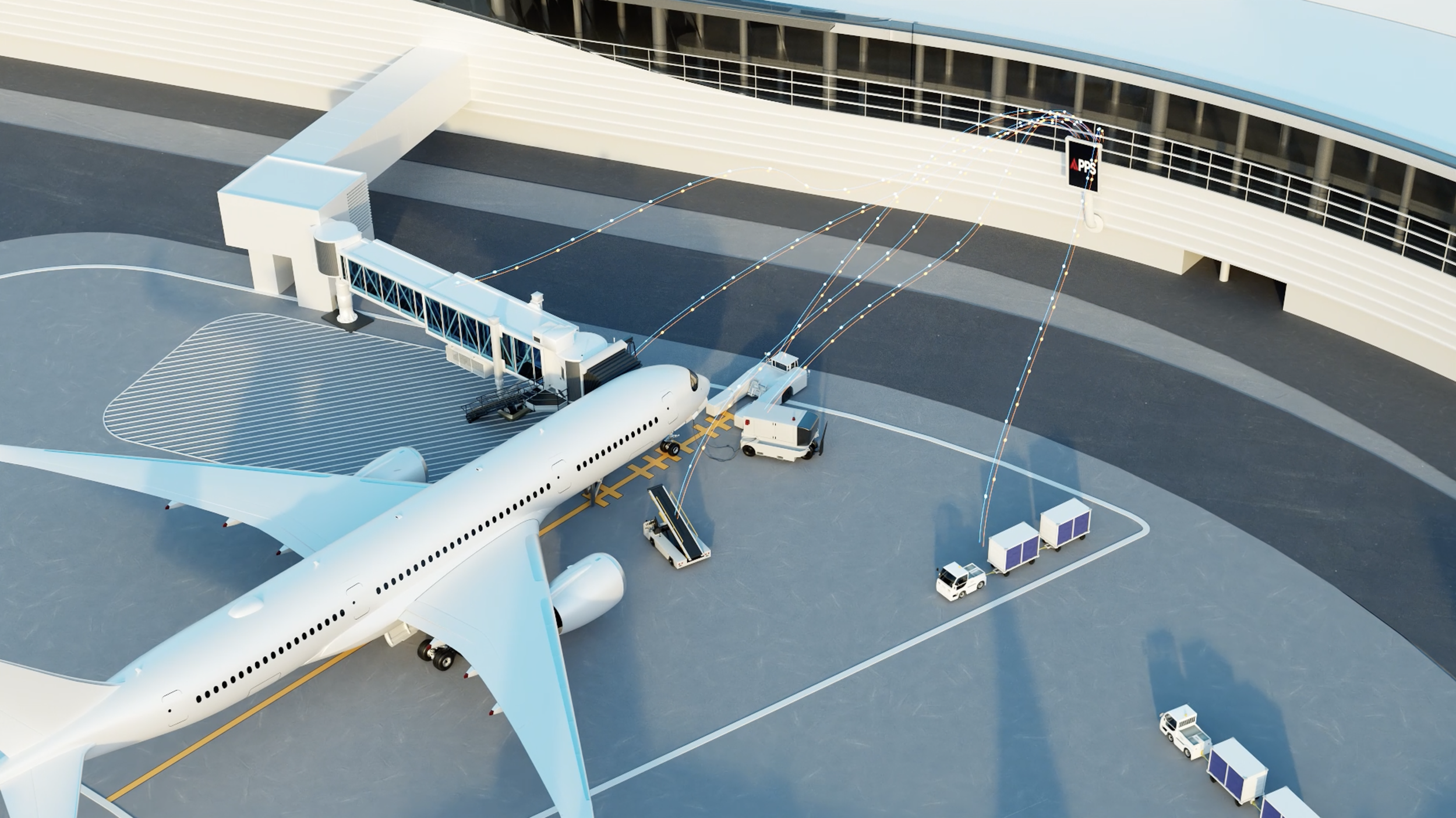

Orchestrate the Gate. Smarter. Safer. Synchronized.
CLX APPS brings aircraft guidance, gate systems, the Autonomous Passenger Boarding Bridge, ground equipment, and operational data together in one connected orchestration layer. It gives airport teams the visibility and control needed to coordinate gate activity, reduce operational friction, and create more consistent turnarounds.
The Gate Is Busy. APPS Brings Order.
Multiple Systems. One Critical Turnaround.
Aircraft arrival brings pilots, ramp teams, passenger boarding bridges, PCAir, GPU, baggage equipment, service vehicles, and ground support systems into the same operating environment. When those systems work independently, airport teams rely heavily on manual checks, radio communication, and visual confirmation to coordinate the gate.
The Orchestration Layer for the Gate.
CLX APPS connects aircraft guidance, gate systems, equipment status, automation, and operational data into one coordinated environment. It provides pilots with precise parking guidance while giving airport teams greater visibility into the entire gate operation before, during, and after aircraft arrival.
Built for the Entire Gate Operation.
APPS goes beyond aircraft parking guidance. It coordinates the systems, equipment, people, and operational conditions surrounding each aircraft arrival to create a more connected and consistent gate environment.
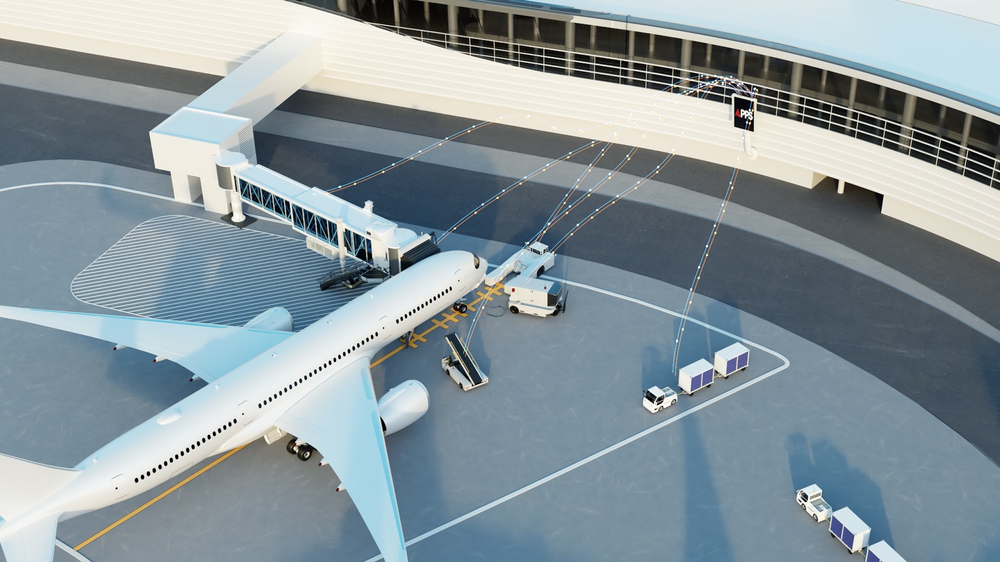
One Connected View of the Turnaround.
Aircraft guidance is only one part of the gate operation. APPS brings together aircraft position, bridge readiness, gate equipment, safety conditions, and operational activity so airport teams can see what is happening and coordinate what needs to happen next.
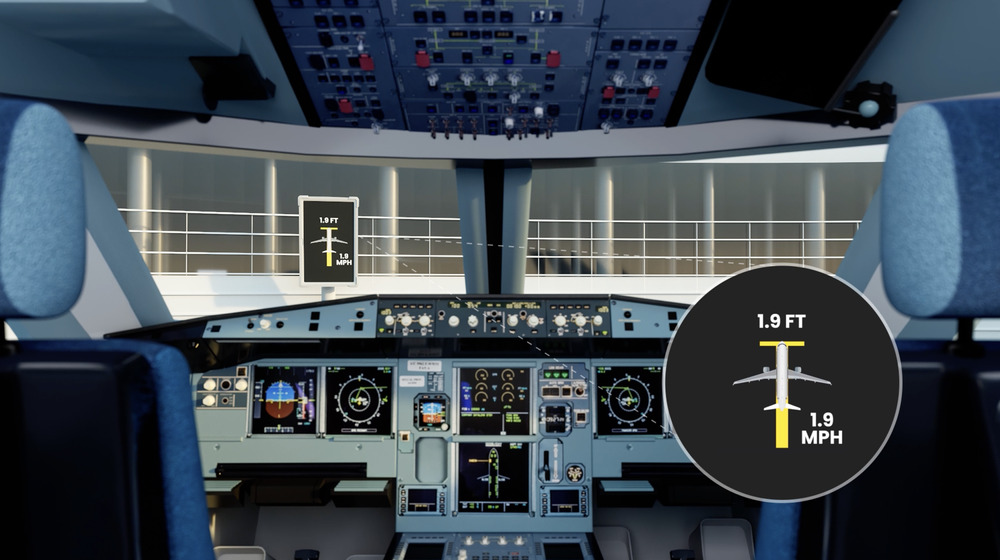
Aircraft Parking Guidance
Give pilots clear visual guidance as the aircraft approaches the stand, including distance-to-stop, speed, alignment, centerline position, skew, and configured stop information.
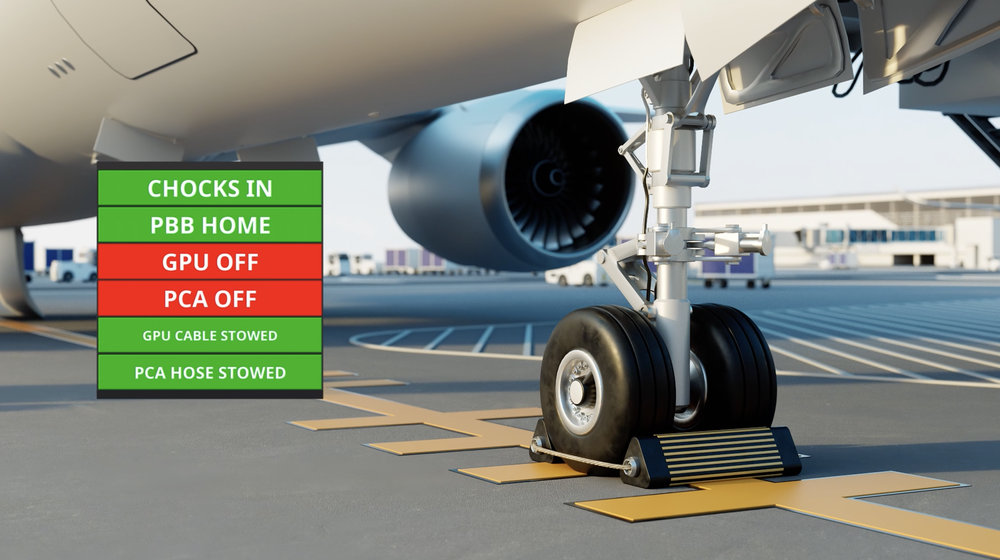
Gate Readiness Monitoring
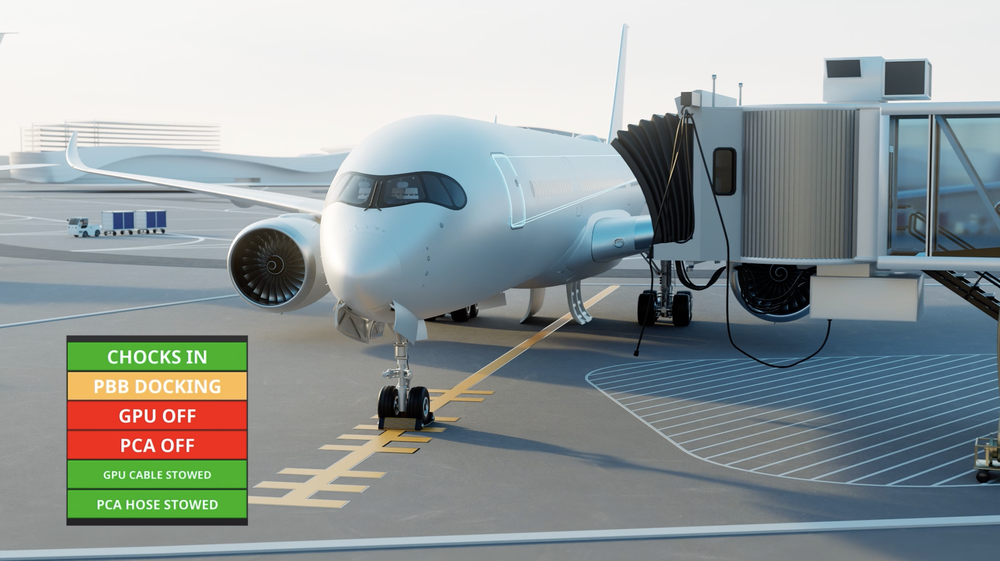
Confirm key gate conditions before aircraft arrival, including PBB position, PCAir and GPU status, chock detection, equipment stow conditions, and other connected system inputs.
Passenger Boarding Bridge Coordination
Coordinate with CLX Autonomous PBB technology to support automated docking, remote operation, bridge status visibility, and a more connected aircraft arrival sequence.
One Connected Ecosystem.
APPS orchestrates. Autonomous PBB executes. SIMS monitors. CORTEX visualizes. Together, CLX solutions connect gate equipment, controls, sensors, software, and operational data to create a more coordinated airport environment.
Coordinate the Gate
APPS connects aircraft arrival, gate systems, equipment, and automation into coordinated operational sequences.
Automate the Dock
The Autonomous PBB executes precise aircraft docking through intelligent controls, sensing, and automation.
Monitor the Operation
SIMS connects sensors, equipment, and operational data to provide real-time visibility and predictive insight.
See the Big Picture
CORTEX brings alarms, system status, diagnostics, trends, and operational visibility into one upper-level view.
Designed to Integrate With Your Operation.
Every airport operates differently. APPS is designed to work with the systems, equipment, data sources, and operational requirements already surrounding the gate, creating a flexible orchestration layer without requiring every component to come from a single manufacturer.
A Smarter Path to Gate Automation.
APPS helps airports move beyond isolated systems and manual coordination by connecting the gate environment through one intelligent orchestration layer. That gives operators greater visibility, stronger coordination, and a platform that can evolve as automation expands.
Built on CLX Engineering’s experience in airport automation, controls, SCADA, BHS, passenger boarding bridges, and systems integration, APPS is designed around real airport operations.
Why Airports Choose APPS
Improved Operational Awareness
Give airport teams a clearer, real-time view of gate conditions, equipment status, and operational activity.
Better Coordination
Connect systems, equipment, and teams through one coordinated orchestration layer.
Enhanced Safety
Confirm gate conditions, monitor the operating environment, and support more controlled equipment movement.
Reduced Turnaround Variability
Improve visibility and coordination to support more predictable and consistent gate operations.
Future-Ready Automation
Support today’s gate systems while creating a path toward autonomous equipment and smarter airside operations.
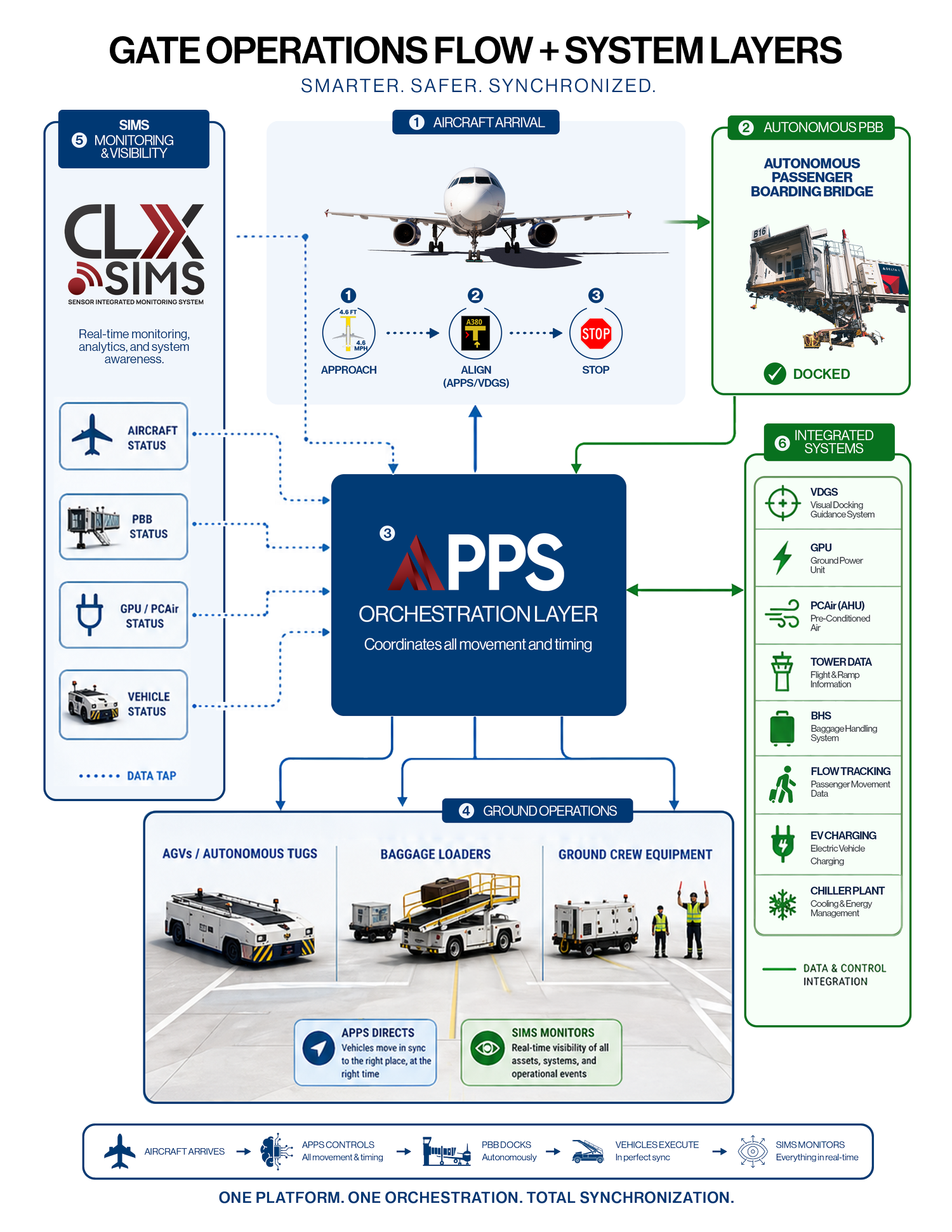
One Platform. Connected Across the Gate.
CLX APPS serves as the orchestration layer between aircraft arrival, gate equipment, automation systems, and operational data. By connecting systems that traditionally operate independently, APPS gives airport teams a coordinated view of gate activity and the ability to manage each turnaround with greater consistency.
Control
Coordinate gate systems, equipment, automation, and operational timing through one orchestration layer.
Visibility
See real-time gate conditions, system status, equipment activity, and operational events.
Efficiency
Support more consistent turnarounds by reducing operational friction between systems and teams.
Reliability
Improve troubleshooting, maintenance planning, and awareness through connected operational data.
Ready to Orchestrate the Gate?
See how Autonomous Passenger Boarding Bridges and APPS Gate Orchestration can connect aircraft arrival, gate systems, equipment, and operational data to support more consistent, visible, and coordinated airport operations.

Let’s talk about your gate automation strategy.
Brent Winters
Business Development Director
Email Brent